
A complete carousel from a single photo
No carousel at hand to replicate? Paste a TikTok Shop product link or a photo: the AI analyzes your product and offers 3 complete sales scenarios, hook already written, ready to generate.
Your first carousel replication is freeNo credit card
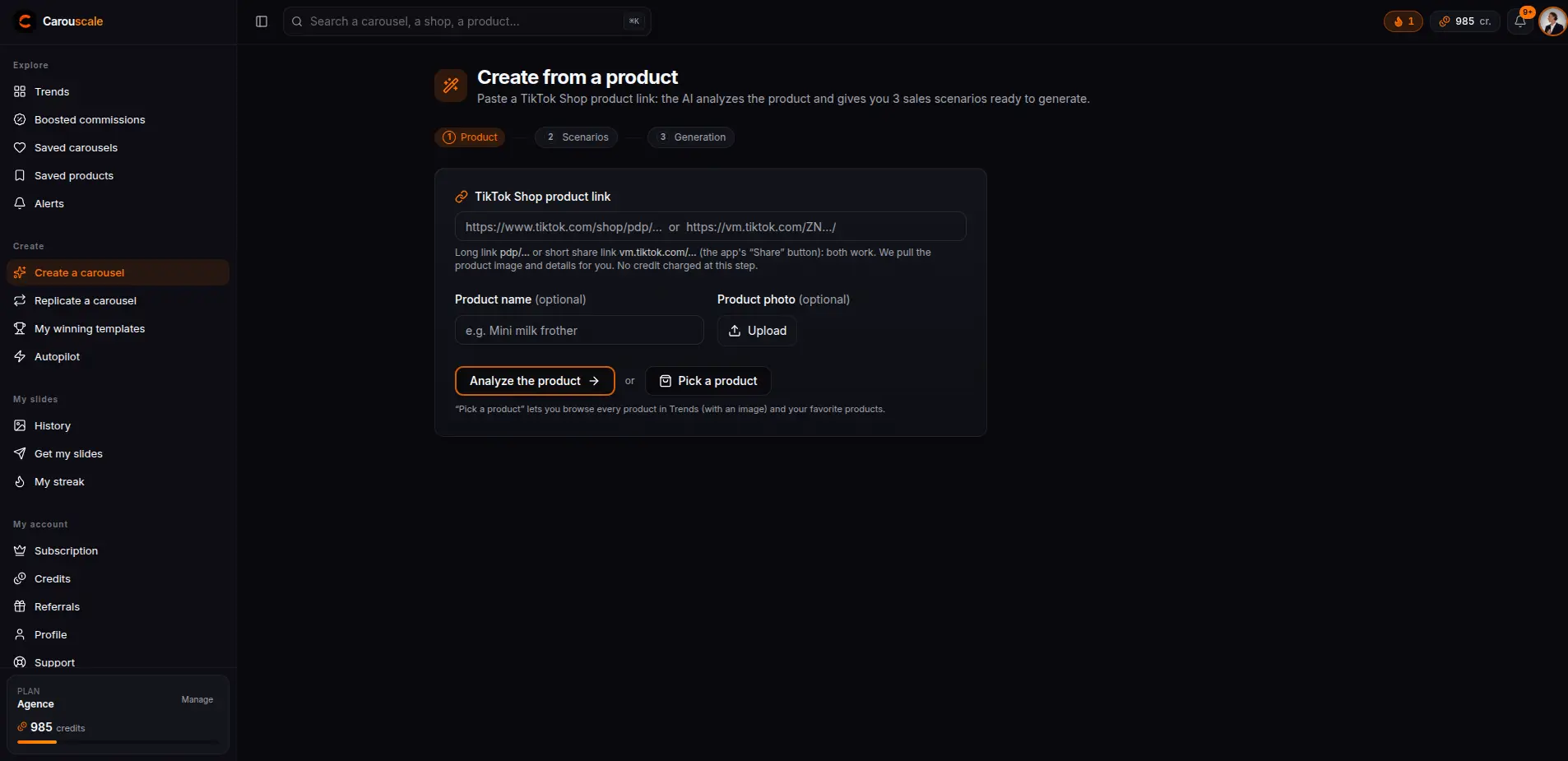
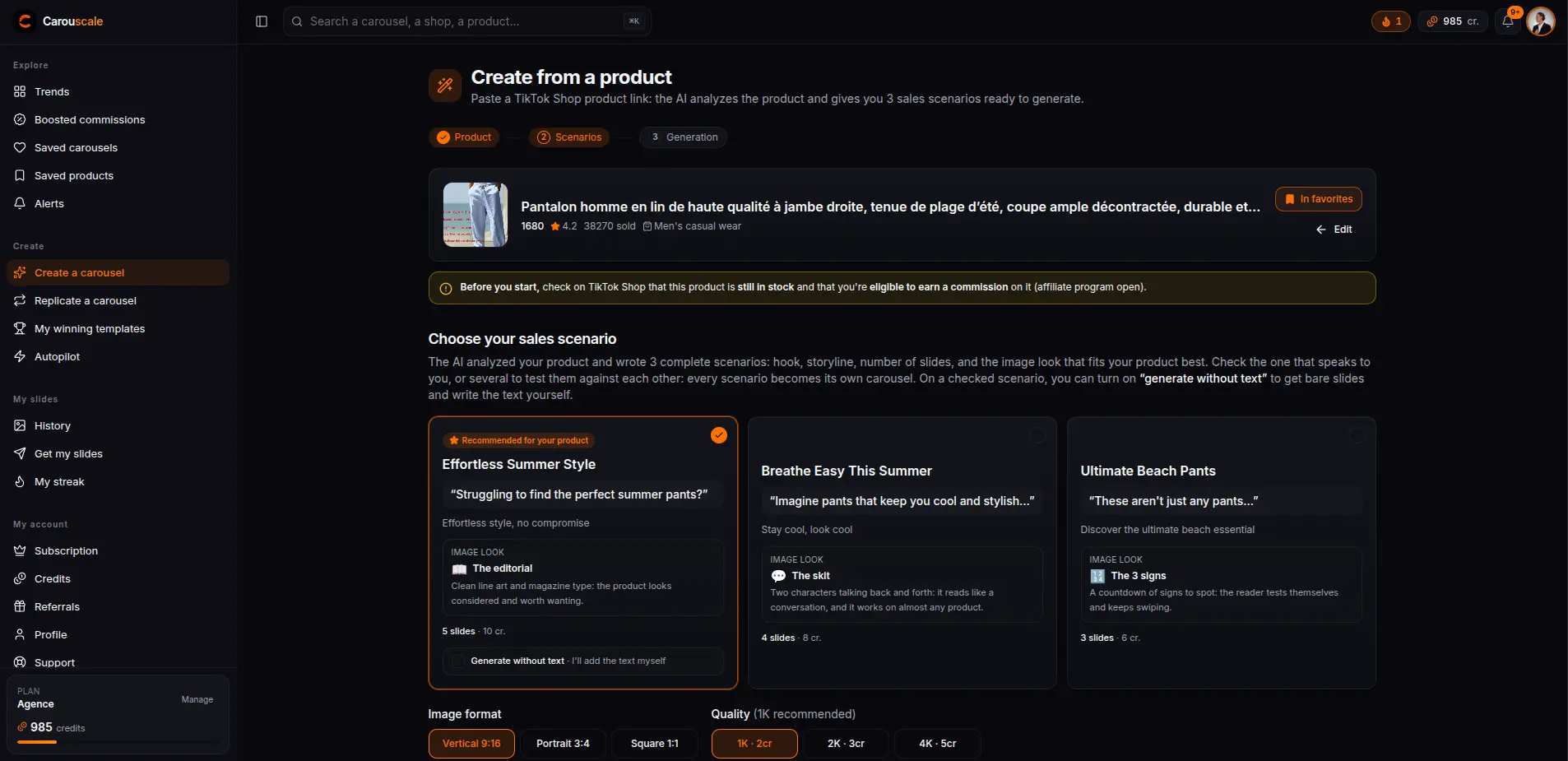
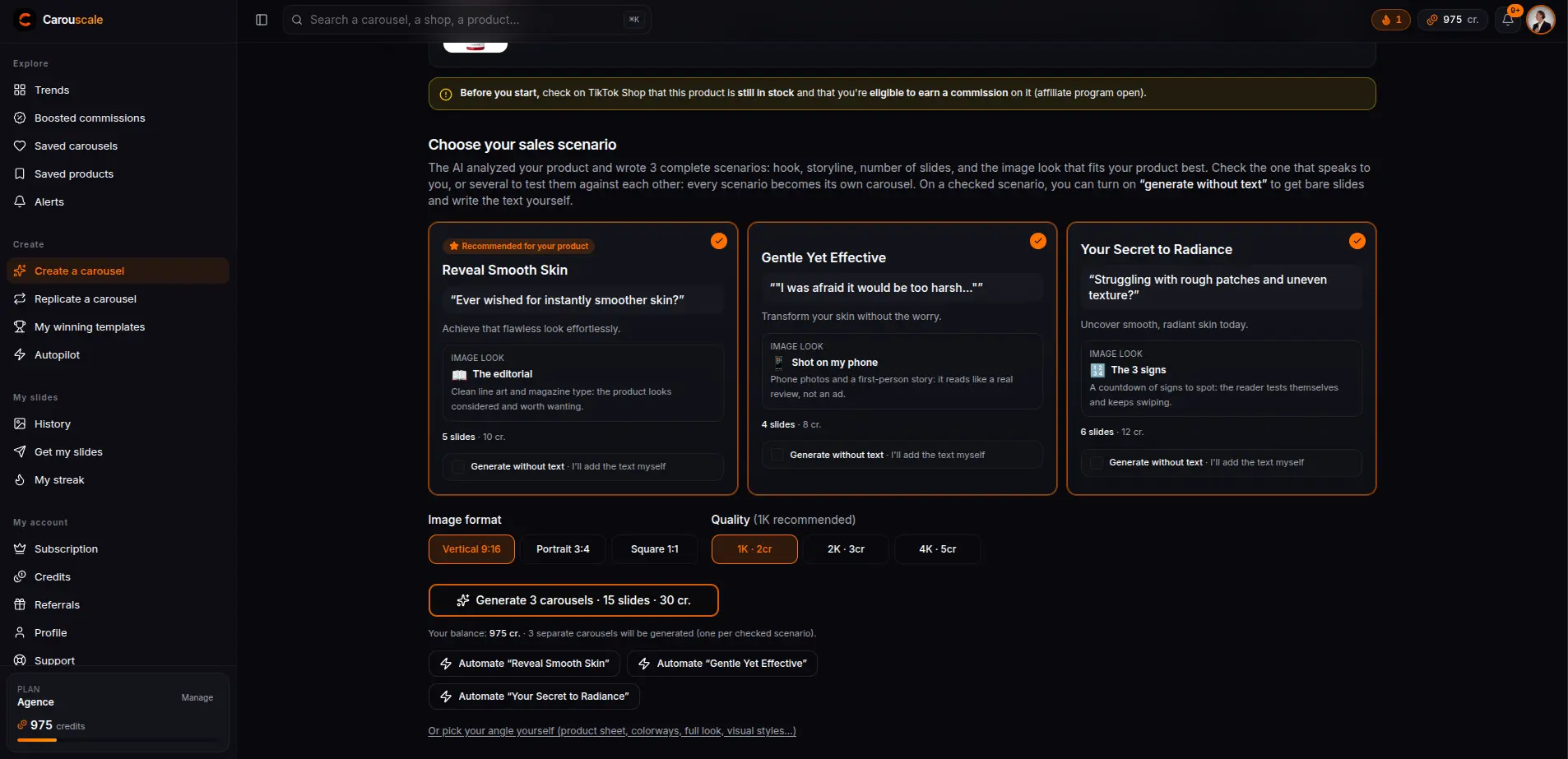
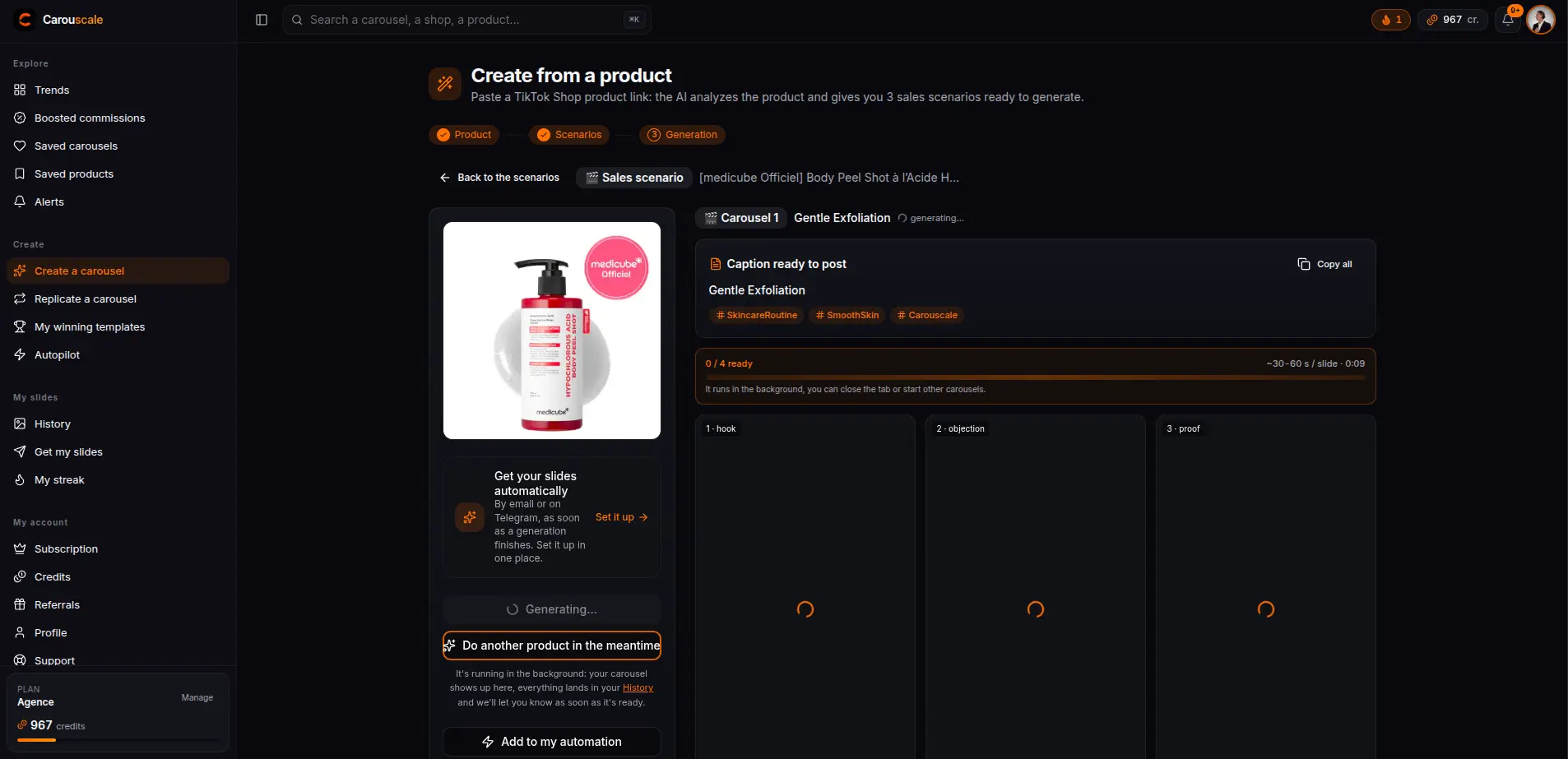
From product photo to carousel, in 4 steps
Start for free3 sales scenarios, not a blank page
The studio never asks you to write a brief: the AI analyzes the product, the friction it removes, the promise it carries and the level of proof it calls for, then offers 3 complete sales scenarios, hook already written and a slide-by-slide flow. Tick the one that speaks to you, or several to test them against each other: one carousel per scenario.
The carousel's look: 6 stagings that have proven themselves
Each scenario comes with its look, the image staging the AI judges the best fit for your product: the dialogue between two characters, the magazine page, the household pet giving the lesson, the photos shot on a phone, the countdown of telltale signs, or the opening meme that does not even mention the product. All spotted on TikTok carousels that actually performed.
A staging changes more than how the image looks: it also decides who speaks, when the product shows up and which slide switches to a real photo. Ticking two scenarios therefore also means comparing two looks. Your copy, your story and the slide sequence, for their part, stay put.
And if you want to stay in control: 12 angles, 10 styles
The classic mode crosses 12 marketing angles (product sheet, variants, full look...) with 10 visual styles, 1 to 15 slides. Fashion special case: the multi-product full look adds 2 to 4 product sheets (clothing, shoes, bags, jewelry, glasses), a model wears the whole look, one close-up slide per piece with its callout badge, a final slide that sends everything to the cart, and the link of each piece in the delivery. The final output is the same as everywhere else: slides ready to post, text baked into the image in your language.
Frequently asked questions
- Do I need to know how to write prompts or use an AI?
- No. The AI analyzes your product and offers 3 sales scenarios already written: you tick, it writes then generates everything. You can also pick the angle, style and slide count yourself if you prefer to stay in control.
- What is a carousel « look »?
- Six ways of staging a carousel, spotted on TikTok carousels that actually performed: a dialogue between two characters, a magazine page, the household pet giving the lesson, photos shot on a phone, a countdown of telltale signs, an opening meme. The AI keeps 3 of them based on your product and assigns one to each scenario, the best-rated going to the recommended scenario.
- How many slides can I generate?
- 1 to 15 slides per carousel. If you tick several scenarios, you get one complete carousel per scenario, to test them against each other.
- Is my product altered on the images?
- No, never: the product is always left untouched on the generated images. You can add up to 3 extra photos (colorways, details, in-context shots) so the AI can vary the slides.
Explore the other features
- TrendsThe TikTok Shop carousels past 5,000 views, across 6 markets.
- ReplicateRecreate a winning carousel with your product, in one click.
- Ready to postFlawless baked-in text, TikTok formats, nothing to retouch.
- AutopilotCarousels generated on their own, delivered by email or Telegram.
- Niche alertsThe new carousels buzzing in your niche, straight to your inbox.
Test the studio with your product
Create your account, paste a TikTok Shop product link and see the 3 scenarios the AI offers you. Your first carousel replication is free.